
Webhook for WhatsApp Flows in ChatSyncs
How to attach one or more webhook URLs to a WhatsApp Flow, so ChatSyncs POSTs the submitted form data to your system every time a customer completes it.
On this page
Every published WhatsApp Flow can have its own list of webhook URLs attached directly to it. Whenever a customer submits that flow, ChatSyncs sends the submitted form data as an HTTP POST to every webhook URL on the list — no extra configuration inside the flow itself.
Example: A customer fills out a Customer Registration flow with their name, phone number, and service interest, then taps Submit. ChatSyncs immediately POSTs that data to every webhook URL attached to the flow — instantly, with no manual export.
How to set it up#
Open the WhatsApp Flows list
Go to Chatbot Manager → Data Collection → WhatsApp Flows. You'll see every flow with its name, category, status, and a row of action icons.
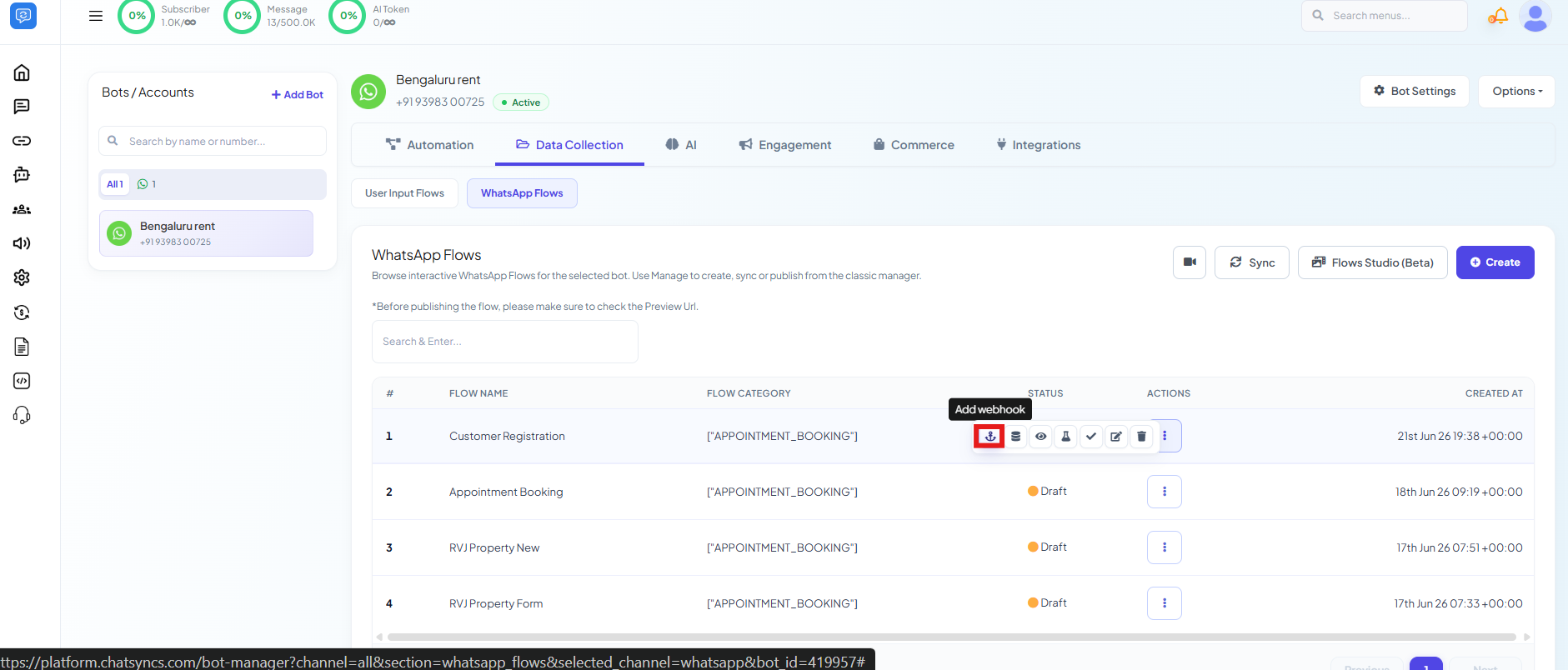
Click the webhook icon
On the flow you want to connect, click the anchor-shaped Add webhook icon in its Actions column. This opens the WhatsApp Flow Webhook panel for that flow.
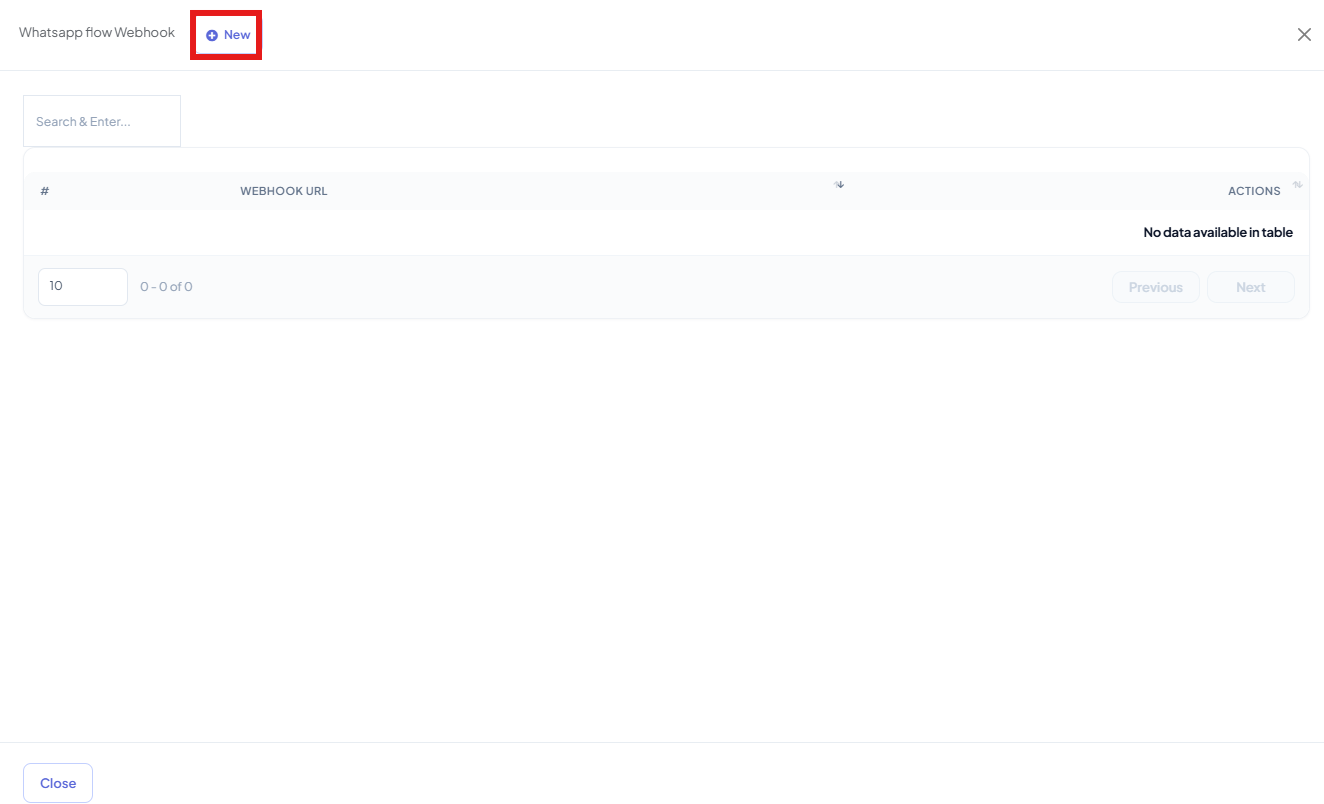
Click New and add your URL
Click New, paste your webhook endpoint into the Webhook URL field, and click Save.
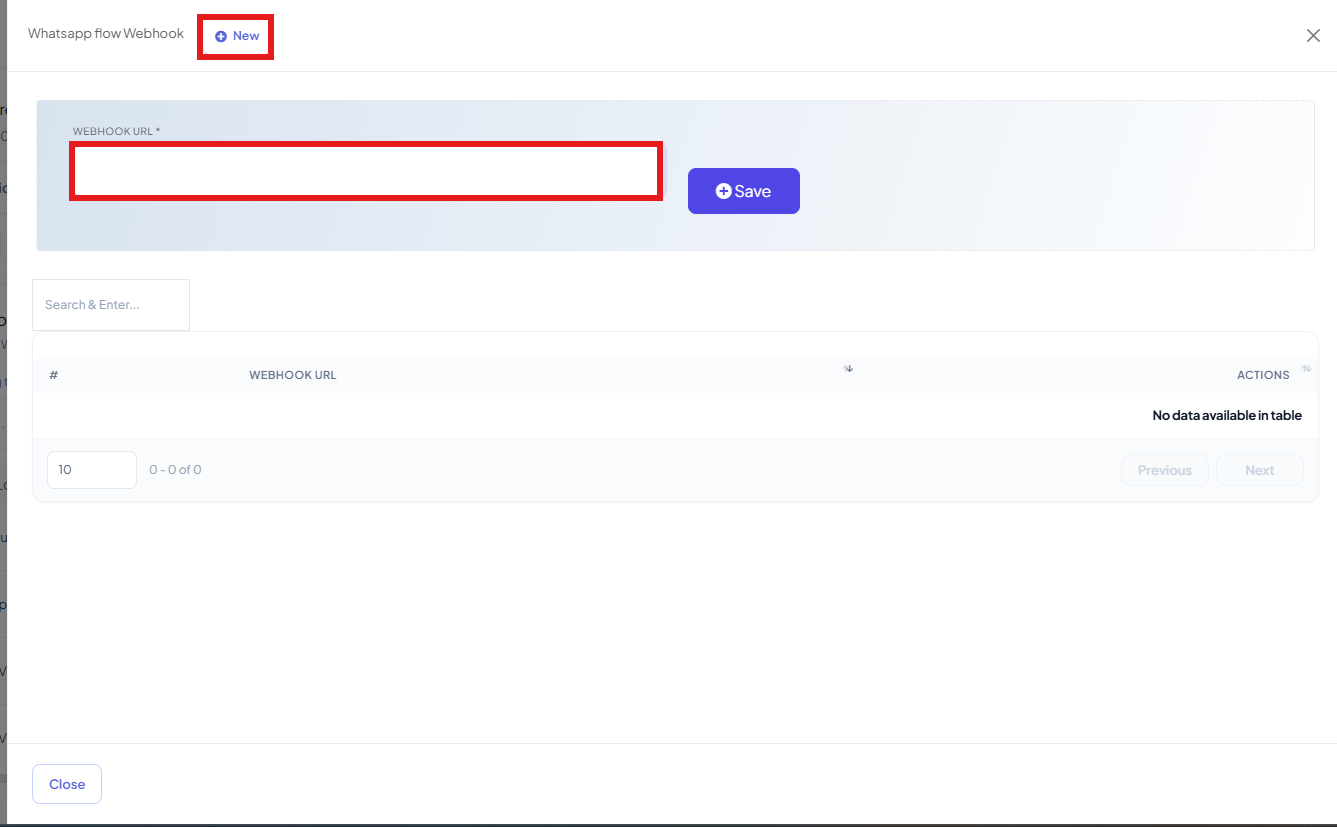
Repeat to add more URLs
Click New again for each additional system that should receive the same submission — every URL on the list gets its own copy of the data.


Frequently asked#
What data gets sent to the webhook?
The same submitted form data as the flow itself collected — every field the customer filled in, sent as JSON in the POST body.
Can I send the same flow's submissions to more than one place?
Yes — add as many webhook URLs as you need on the same flow. Each one gets its own copy of every submission.
What's the difference between this and the Select HTTP API field on the flow?
Select HTTP API (inside the flow's own configuration) sends data through one HTTP API you've already saved in ChatSyncs. This WhatsApp Flow Webhook panel is separate — it lets you attach raw webhook URLs directly to the flow without creating an HTTP API first, and supports more than one URL.
Does the flow need to be published first?
Yes — attach webhook URLs to a flow that's already published, so submissions have somewhere to send data as soon as customers start using it.
Was this page helpful?
Still stuck? Open a support ticket and our team will help.