
How to Update Your WhatsApp Business Profile
How to reach WhatsApp Manager from Meta Business Suite to update your WhatsApp Business profile — display name, photo, about, category, and address.
On this page
Your WhatsApp number's public profile is what a customer sees when they open the chat — photo, about text, and business details.
- It's edited in WhatsApp Manager — a separate tool from Meta Business Suite's main Settings, not something inside ChatSyncs.
- This page gets you there.
Set it up#
Open your Business Portfolio's settings
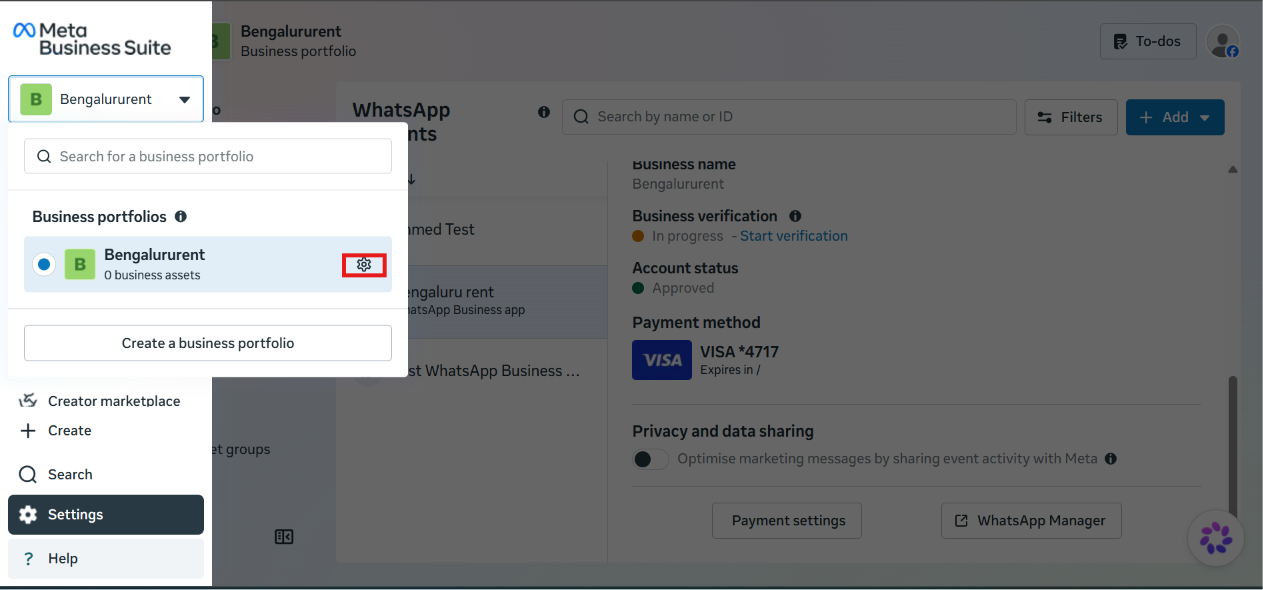
In Meta Business Suite, click your business portfolio name in the top-left switcher, then click the gear icon next to it to open Settings.
Open WhatsApp Manager for your account
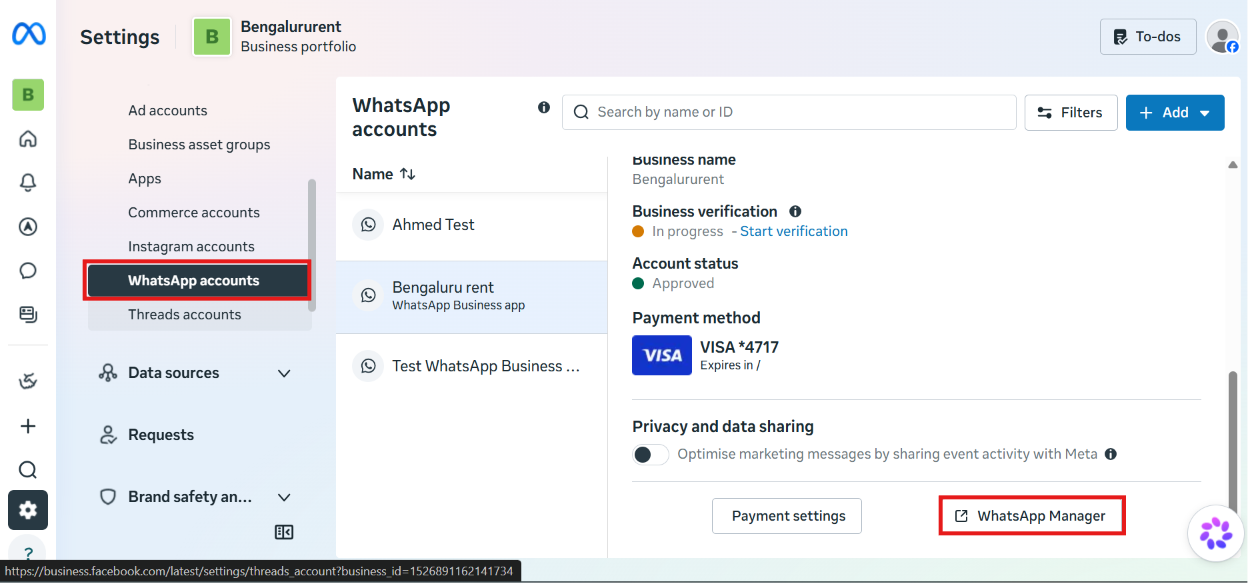
Under Accounts → WhatsApp accounts, select the WhatsApp Business account you want to update, then click WhatsApp Manager.
Open the Profile tab and edit your details
WhatsApp Manager opens with Account tools → Phone numbers selected, listing your number(s) on the left. Select your number, then click its Profile tab to edit the customer-facing details — Choose file for the profile picture, Edit for the display name, Create for a username, Submit request for Official Business Account status, plus Category, Description, and Address further down. A live preview of the profile shows on the right as you edit.
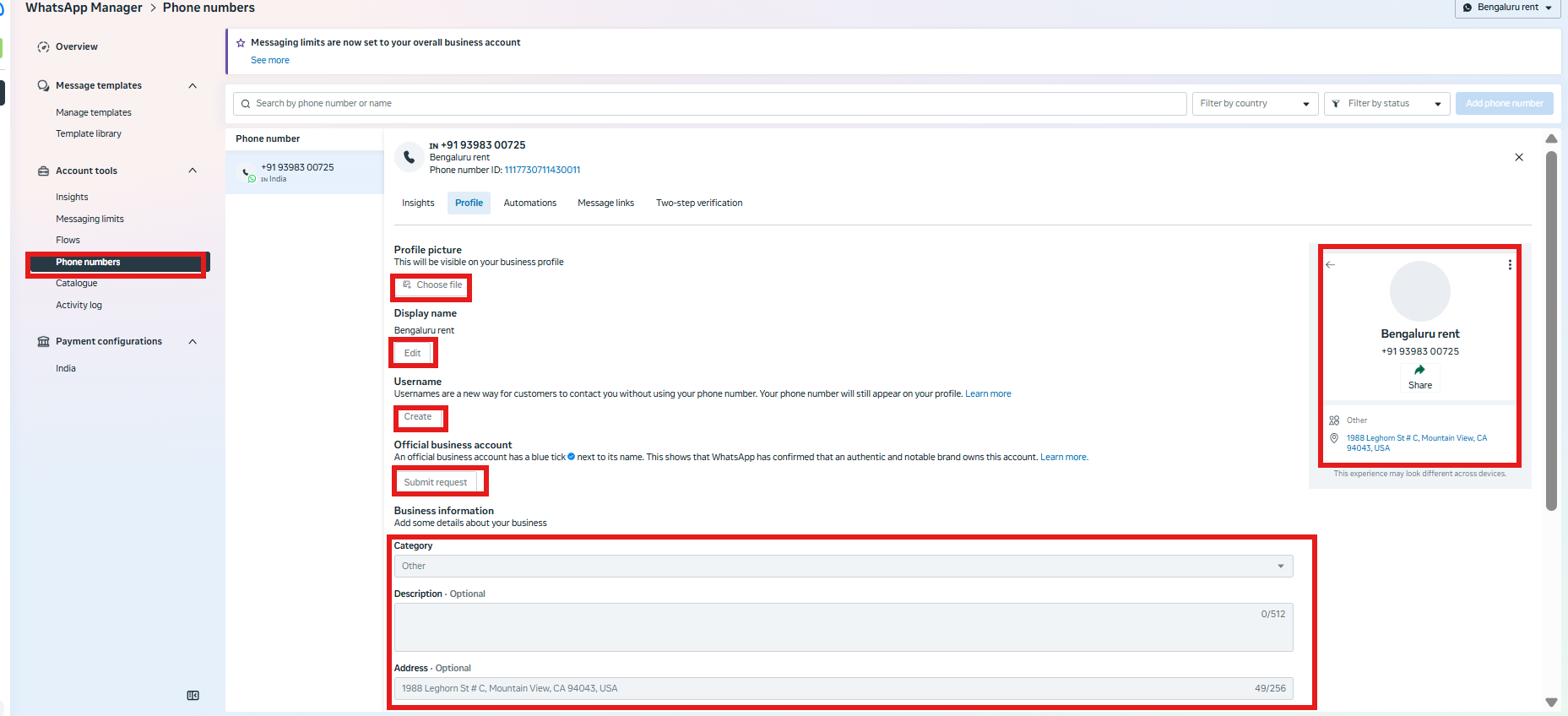


Expected result: Every field edited here — profile photo, display name, about text, business description, category, website, and address — updates what a customer sees when they open a chat with your number.
What's next#
Once your profile looks right, go back to How to Connect Your Number to ChatSyncs if you haven't finished that yet, or How to Add Payment Method for WhatsApp API Billing if billing still needs to be set up.
Was this page helpful?
Still stuck? Open a support ticket and our team will help.